






Your Smart Home Has Dozens of Devices. Who Gets Them Talking to Each Other?
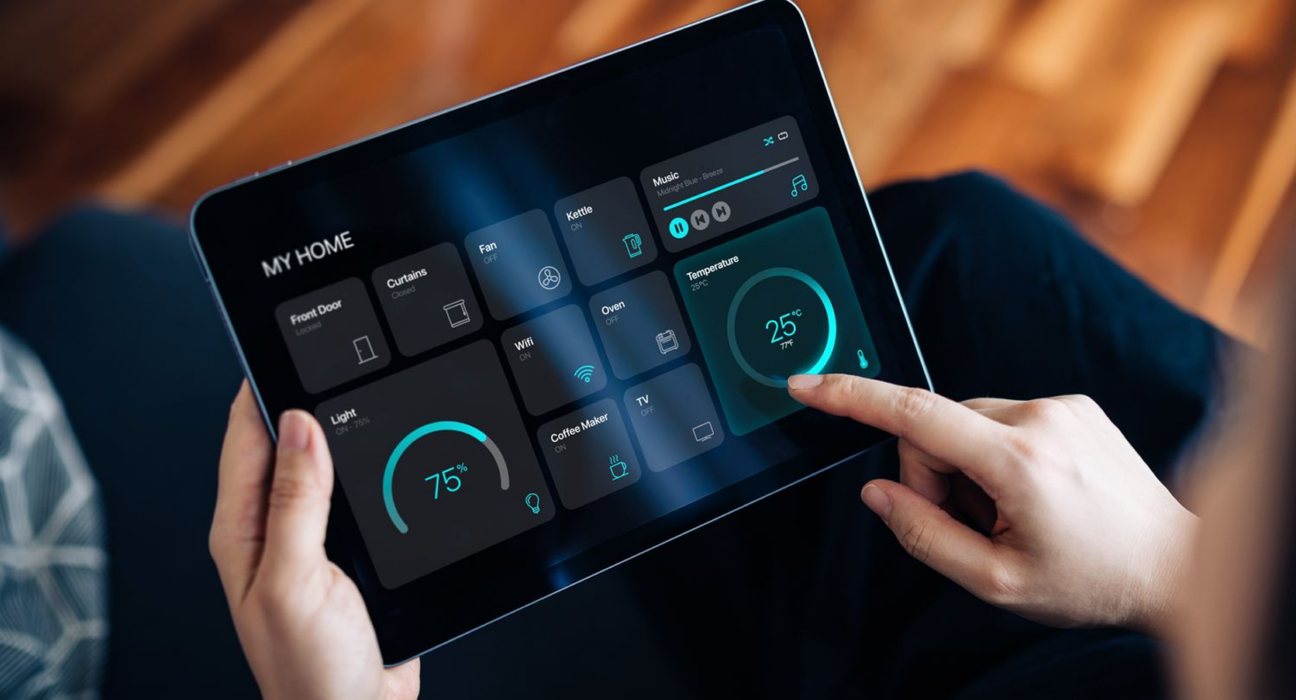
A smart bulb turns on with a voice command. A motion sensor triggers a hallway light. A thermostat adjusts the temperature while you are away.
Individually, these devices can be useful. Together, they can make a home feel remarkably responsive.
But there is a challenge hiding behind the convenience: not every smart device speaks the same technological language.
Some connect through Wi-Fi. Others use Bluetooth, Thread or Zigbee. Some depend heavily on a manufacturer’s cloud services, while others can communicate locally.
This is where a smart home hub enters the picture.
A hub can help bring different devices into one connected system, making automation easier to manage. However, not every smart home needs one, and buying the wrong hub can create more complications than it solves.
What Is a Smart Home Hub?
A smart home hub is a device or software platform that helps manage, coordinate or connect smart home products.
Depending on its capabilities, it may:
- Connect devices that use different communication protocols.
- Allow devices to work together in automation routines.
- Provide a central interface for controlling connected products.
- Help coordinate smart home activity locally.
- Connect certain devices to a wider home automation ecosystem.
Think of it as a coordinator for your connected home.
However, a hub is not necessarily a universal translator. A device must still be compatible with the hub, its software and its supported communication standards.
Some products marketed as smart home hubs also include voice assistants, speakers, displays or routers. Others are dedicated controllers designed primarily for automation.
Why Smart Home Devices Do Not Always Work Together
The smart home industry has developed across multiple technologies and ecosystems.
A Wi-Fi smart plug, a Zigbee motion sensor and a Thread-enabled light may all perform similar everyday functions, but their connectivity requirements can differ.
Here are some common technologies you may encounter.
Wi-Fi
Wi-Fi is widely used for smart cameras, plugs, appliances and other connected products.
Its major advantage is that many homes already have Wi-Fi infrastructure.
However, depending on the network and device, adding numerous connected products can increase network management complexity. Some devices also rely on cloud services for particular features.
Bluetooth
Bluetooth is often used for nearby device connections, setup and control.
It can be useful for simple smart devices, but Bluetooth support alone does not guarantee that a product can participate in every smart home automation system.
Zigbee
Zigbee is a wireless communication technology used by many smart lighting products, sensors and switches.
Compatible Zigbee networks often use a coordinator or hub to manage devices. Certain setups also use routers within the network to extend connectivity.
Thread
Thread is a low-power wireless networking technology designed for connected devices.
It supports mesh networking and can be used by compatible smart home products.
Thread devices may require a suitable Thread border router to connect their network to other parts of the home network.
A Thread border router and a general smart home controller perform different roles, even when both functions are built into the same product.
What Is Matter, and Does It Eliminate the Need for a Hub?
Matter is a smart home interoperability standard intended to help compatible devices work across supported platforms.
It aims to make choosing smart home products less dependent on one manufacturer’s ecosystem.
But Matter does not mean that every device can connect to every controller in every configuration.
Compatibility can depend on:
- The device’s supported Matter features.
- The controller and ecosystem.
- Whether the product uses Wi-Fi or Thread.
- Software and firmware versions.
- The automation capabilities you want.
Some Matter devices can be commissioned and controlled without buying a separate dedicated hub. Other setups may need a compatible controller, a Thread border router or additional infrastructure.
For example, a Matter-over-Thread device still needs an appropriate Thread network to communicate.
The important distinction: Matter helps devices work together, but it does not remove every hardware or compatibility requirement.
Smart Home Hub vs. Smart Speaker vs. Router
These devices can look similar from the outside, but their roles are different.
| Device | Primary role |
|---|---|
| Smart home hub | Coordinates supported devices and automation |
| Smart speaker | Provides voice interaction and may include smart home controls |
| Wi-Fi router | Connects devices to the local network and often the internet |
| Thread border router | Connects a Thread network with other IP networks |
| Smart home app | Provides an interface for control and management |
One physical product may perform several of these functions.
For instance, a smart speaker may also act as a smart home controller or Thread border router, depending on the model.
That is why checking specifications is more useful than judging a device by its product category alone.
What Can You Actually Do With a Smart Home Hub?
The real value of a hub is not the number of devices displayed in an app. It is what those devices can accomplish together.
1. Automate everyday routines
You could create a routine that turns on selected lights when a compatible motion sensor detects activity.
Or you might configure lights to switch off at a chosen time.
These automations can reduce repeated manual actions without requiring you to control each product individually.
2. Coordinate multiple devices
Imagine leaving home.
A supported automation could switch off selected lights, adjust a thermostat and activate certain security devices.
The precise behavior depends on the products, integrations, permissions and conditions configured.
3. Create sensor-based responses
Smart sensors can help trigger actions based on environmental conditions.
Examples include:
- Turning on lights when motion is detected.
- Receiving a notification when a compatible leak sensor activates.
- Adjusting ventilation based on supported air-quality readings.
- Triggering an alert when a door sensor changes state.
Automations should be designed carefully, particularly when they affect safety, access or security.
4. Reduce dependence on cloud connectivity
Some smart home platforms support local automation, allowing compatible routines to operate without continuous internet access.
This can improve responsiveness and reliability for certain functions.
However, a hub does not automatically make every device work offline. Cloud-dependent services, remote access and notifications may still require internet connectivity.
Do You Really Need a Smart Home Hub?
Not necessarily.
Buying a hub before understanding your devices is one of the easiest ways to overspend on smart home technology.
A hub may be useful if you:
- Want to combine devices using different supported protocols.
- Plan to build complex automation routines.
- Need a dedicated controller for a particular ecosystem.
- Want local automation features that your current setup lacks.
- Intend to expand your smart home over time.
You might not need one if you:
- Have only a few Wi-Fi smart plugs or bulbs.
- Are happy controlling everything through existing apps.
- Use devices that already work through your current controller.
- Have no interest in automation beyond basic scheduling.
Start with the experience you want, not the hardware you think a smart home is supposed to have.
How to Choose the Right Smart Home Hub
Before purchasing, evaluate the following factors.
Device compatibility
Check the exact model numbers of your existing devices.
Look for supported ecosystems, wireless protocols and specific integration requirements.
A claim such as “supports smart home devices” is not enough to establish compatibility.
Matter and Thread support
If you plan to buy new devices, consider whether your controller supports the Matter features you need and whether your home requires Thread infrastructure.
Compatibility should be checked at the feature level, not just by looking for a logo.
Local automation
If you want routines to continue during an internet outage, verify which automations run locally.
Check whether local operation includes the devices, triggers and actions you actually intend to use.
Privacy and security
A connected home can reveal patterns about your daily routines.
Consider:
- What information the manufacturer collects.
- Whether an account is mandatory.
- How long recordings or activity histories are retained.
- Whether two-factor authentication is available.
- How firmware updates and security support are handled.
Also review camera permissions and access for other household members.
Future expansion
Think about the products you might add later.
Choosing a flexible platform can help avoid replacing the entire system when your requirements change.
However, avoid paying extra for features you have no realistic plans to use.
Common Smart Home Mistakes to Avoid
Buying devices before checking compatibility: Two smart products can advertise connectivity and still fail to work together in your preferred setup.
Assuming every automation runs locally: Some routines rely on internet connectivity or manufacturer servers.
Ignoring network coverage: A hub cannot compensate for every Wi-Fi dead zone or wireless interference problem.
Creating too many unnecessary automations: Complicated routines can become difficult to troubleshoot, especially when multiple conditions interact.
Overlooking recovery and manual control: Smart switches, locks and other important devices should have sensible fallback options where possible.
Ignoring software support: Smart home products need updates, maintenance and sometimes ongoing ecosystem support.
A smart home should remain manageable even when technology does not behave perfectly.
The Future of Connected Homes
Smart home technology is gradually moving toward greater interoperability, more flexible automation and improved device coordination.
Standards such as Matter are part of that evolution, while Thread and other networking technologies provide ways for devices to communicate.
The next stage is not simply about connecting more appliances.
It is about creating systems that understand context, respond appropriately and require less attention from the people living in the home.
That future will depend on reliable connectivity, thoughtful software design, privacy protections and products that genuinely work together.
Final Thoughts
A smart home does not become intelligent just because it contains more connected devices.
Its real value comes from how well those devices work together.
A smart home hub can be the missing link between isolated gadgets and useful everyday automation. But it is only worth buying when it solves a real compatibility or control problem.
Before choosing one, map your existing devices, identify the routines you want and check the requirements carefully.
The smartest home is not the one with the most technology. It is the one where technology quietly makes everyday life easier.