





How to Choose the Right Software: A Practical Guide
Software has become part of almost everything we do.
People use software to communicate, manage finances, create content, organize projects, edit photos and videos, run businesses, store information, and improve productivity.
But choosing the right software can be surprisingly difficult.
There may be dozens of apps that appear to offer similar features, while their pricing, usability, security, integrations, and long-term value can be very different.
The right choice is not necessarily the software with the most features.
It is the software that solves your problem effectively without creating unnecessary complexity.
Here is a practical guide to choosing the right software.
1. Start With the Problem You Need to Solve
Before looking at software, clearly define the problem.
Ask:
- What am I trying to accomplish?
- What is currently difficult or inefficient?
- Who will use the software?
- How frequently will it be used?
- What outcome do I expect?
For example, if your main problem is managing tasks, you may need project management software.
If your problem is repetitive data entry, automation software may be more useful.
Defining the problem first prevents you from choosing software simply because it has impressive features.
2. Make a List of Essential Features
Separate features into three groups:
Must Have
Features that are essential for the software to work for you.
Nice to Have
Useful features that could improve the experience but are not essential.
Not Important
Features that you probably will not use.
This simple exercise makes comparisons much easier.
A product with 100 features may not be better than one with 30 if you only need five of them.
3. Consider Who Will Use the Software
Software should match the technical ability of its users.
A powerful application may be excellent for experienced professionals but frustrating for beginners.
Consider:
- Technical skill level
- Number of users
- Frequency of use
- Training requirements
- Ease of onboarding
- Interface complexity
For teams, usability becomes particularly important because complicated software can reduce adoption.
4. Compare Pricing Carefully
Software pricing can be more complicated than it first appears.
Look beyond the headline monthly price.
Check:
- Monthly vs annual pricing
- Number of users included
- Storage limits
- Feature restrictions
- Usage limits
- Premium features
- Setup fees
- Add-ons
- Taxes
- Cancellation terms
A cheaper plan may become expensive when additional users or features are added.
5. Calculate the Total Cost
The subscription price is only one part of the cost.
You may also need to consider:
- Implementation
- Training
- Data migration
- Integrations
- Additional storage
- Premium support
- Third-party services
- Maintenance
For business software, calculate the expected cost over at least one year rather than comparing only the monthly price.
6. Test the Software Before Paying
Whenever possible, use a free trial or demo before purchasing.
During the trial, perform the tasks you actually need to complete.
Don’t spend the entire trial simply exploring menus.
Instead, test real workflows.
For example:
- Create a project.
- Add users.
- Import information.
- Complete a normal task.
- Export the result.
- Connect another tool.
This will quickly reveal whether the software fits your workflow.
7. Evaluate Ease of Use
A powerful tool is not useful if nobody wants to use it.
Pay attention to:
- Navigation
- Search
- Menus
- Settings
- Setup process
- Learning curve
- Mobile experience
- Keyboard shortcuts
- Automation options
The best interface is not necessarily the simplest one.
It is the one that lets you accomplish your work without unnecessary friction.
8. Check Compatibility
Before choosing software, make sure it works with your existing setup.
Check compatibility with:
- Windows
- macOS
- Android
- iOS
- Web browsers
- Existing hardware
- Business systems
- File formats
For teams, also check whether everyone can access the software using their existing devices.
9. Look at Integrations
Software rarely works alone.
You may need it to connect with other tools such as:
- Calendars
- Cloud storage
- Accounting systems
- CRM platforms
- Communication tools
- Analytics platforms
- Payment systems
Strong integrations can eliminate repetitive manual work.
Before buying, make a list of the systems you already use and check whether the software supports them.
10. Check Data Import and Export
One important question is often overlooked:
What happens to your data if you leave?
Check whether the software allows you to:
- Export your data
- Download files
- Export reports
- Transfer information
- Access backups
- Move to another platform
If your information becomes difficult to retrieve, switching software later can become expensive and complicated.
11. Pay Attention to Security
Security should be an important consideration whenever software handles sensitive information.
Look for features such as:
- Strong authentication
- Two-factor authentication
- Encryption
- Access controls
- User permissions
- Activity logs
- Backup systems
- Security documentation
The importance of these features depends on the type of information you are storing.
For business and financial information, security deserves particularly careful attention.
12. Understand Privacy Policies
Security and privacy are related but different.
Before using software that stores personal information, understand:
- What information is collected
- Why it is collected
- How it is used
- Whether information is shared
- How long information is retained
- Whether you can delete your data
You do not need to understand every legal term, but you should know how the service handles your information.
13. Check Customer Support
Problems can happen with even the best software.
Look at the support options available:
- Email support
- Live chat
- Phone support
- Help center
- Documentation
- Community forums
- Tutorials
Also check whether support is included in your plan or requires an additional payment.
14. Read User Reviews
User reviews can reveal practical problems that product pages do not mention.
Look for repeated feedback about:
- Bugs
- Performance
- Reliability
- Customer service
- Pricing changes
- Missing features
- Difficult cancellation
- Poor mobile experience
Don’t judge software based on one review.
Look for patterns across many users.
15. Check Recent Reviews
Software changes frequently.
An application that had problems two years ago may have improved significantly, while a previously excellent product may have changed its pricing or features.
When researching software, prioritize relatively recent feedback.
This gives you a better understanding of the current experience.
16. Consider Scalability
If you are choosing software for a business, think beyond your current needs.
Ask:
- Can I add more users?
- Can I upgrade the plan?
- Can the software handle more data?
- Are advanced features available later?
- Can it support additional teams?
- Can it integrate with future systems?
Choosing software that cannot grow with you can create another migration project later.
17. Avoid Unnecessary Complexity
More functionality can sometimes create more problems.
If you only need basic project management, purchasing an extremely complex enterprise platform may create unnecessary work.
Consider:
What do I need today?
Then ask:
What might I realistically need later?
Avoid paying for capabilities that you are unlikely to use.
18. Check the Company’s Track Record
Software is an ongoing service, so the company behind it matters.
Look at:
- How long the company has operated
- Product development activity
- Frequency of updates
- Customer base
- Support reputation
- Company announcements
You don’t necessarily need the biggest software company.
You need confidence that the product will continue to receive appropriate support.
19. Look at the Update History
Regular updates can indicate that a product is actively maintained.
Check whether the company regularly releases:
- Security updates
- Bug fixes
- Performance improvements
- New features
- Compatibility updates
For software that you depend on every day, ongoing maintenance is important.
20. Consider Mobile and Web Access
If you work across multiple locations, mobile or browser access can be valuable.
Check whether the software offers:
- Mobile apps
- Browser access
- Desktop applications
- Synchronization
- Offline functionality
Think about where and how you will actually use the software.
21. Think About Offline Access
Not every workflow happens with a reliable internet connection.
If offline access matters to you, check:
- Which features work offline
- Whether changes synchronize automatically
- What happens when the connection returns
- Whether files can be accessed without internet
This can be particularly important for travel, field work, and remote locations.
22. Compare the Learning Curve
Software requires time to learn.
For individuals, this may only mean a few hours.
For businesses, training dozens or hundreds of employees can become a significant cost.
Consider:
Software cost + training time + implementation effort
A slightly more expensive tool may provide better value if your team can adopt it quickly.
23. Don’t Ignore Performance
Software should perform well under normal conditions.
Pay attention to:
- Loading speed
- Response time
- Stability
- Crashes
- Synchronization
- Resource usage
A tool that saves features but wastes time through slow performance may not be a good investment.
24. Compare Alternatives Before Deciding
Try to create a shortlist of around three to five options.
For example:
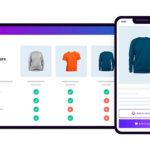
| Factor | Software A | Software B | Software C |
|---|---|---|---|
| Price | $$ | $ | $$$ |
| Ease of Use | Excellent | Good | Average |
| Features | Strong | Basic | Advanced |
| Integrations | Strong | Average | Excellent |
| Security | Strong | Strong | Strong |
| Support | Good | Average | Excellent |
| Best For | Individuals | Small teams | Larger teams |
The goal is not to find a perfect product.
The goal is to understand the trade-offs.
25. Think About Long-Term Value
A good software purchase should provide value over time.
Ask:
- Will I still need it in a year?
- Will it save meaningful time?
- Will it reduce repetitive work?
- Will it improve productivity?
- Will it help avoid errors?
- Will it support future growth?
If the answer is yes, the software may justify its cost.
26. Watch for Vendor Lock-In
Vendor lock-in happens when switching from one software platform to another becomes difficult or expensive.
This can happen because of:
- Proprietary file formats
- Limited data exports
- Custom integrations
- Large amounts of stored information
- Specialized workflows
You do not necessarily need to avoid all vendor lock-in, but you should understand the risk before committing.
27. Don’t Choose Software Just Because It Is Popular
Popularity can be useful, but it does not guarantee suitability.
A popular application may be designed for a different audience or workflow.
Instead of asking:
“What software does everyone use?”
Ask:
“What software works best for what I need to accomplish?”
That change in perspective can lead to a much better decision.
28. Create a Simple Scoring System
If you are struggling to choose between several options, score each one.
For example:
| Factor | Weight | Software A | Software B | Software C |
|---|---|---|---|---|
| Price | 20% | 8 | 9 | 6 |
| Features | 25% | 8 | 7 | 9 |
| Ease of Use | 20% | 9 | 8 | 6 |
| Security | 15% | 8 | 8 | 9 |
| Integrations | 10% | 7 | 8 | 9 |
| Support | 10% | 8 | 7 | 9 |
You can then calculate a weighted score based on what matters most to you.
This makes the decision more objective.
29. Ask for a Demo When Necessary
For expensive business software, a product demo can be worthwhile.
Prepare questions before the demonstration.
Ask about:
- Pricing
- Implementation
- Security
- Integrations
- Data migration
- Support
- Contracts
- Cancellation
- Future upgrades
A good demo should focus on your actual workflow rather than simply showing every feature.
30. Make the Decision Based on Value
Ultimately, choosing software comes down to value.
Consider the relationship between:
Cost → Time saved → Problems solved → Long-term usefulness
The cheapest software is not always the best value.
The most expensive software is not automatically the best either.
The right choice is the one that gives you the capabilities you need at a cost you can justify.
Final Thoughts
Choosing software should be treated as a practical decision rather than a race to find the tool with the longest feature list.
Start with your problem, identify your essential requirements, compare realistic alternatives, test the software, evaluate pricing and security, and consider how well it will fit your workflow over time.
A good software choice should make your work simpler, faster, or more effective.
If it creates more complexity than it removes, it may not be the right solution—no matter how impressive the feature list looks.