





How to Choose a Gaming Platform: PC, Console or Handheld?
Choosing a gaming platform can be surprisingly difficult.
There are more options than ever. You can build or buy a gaming PC, choose a traditional console, purchase a handheld gaming device, or even use cloud gaming and other services.
Each option has different advantages.
A PC can offer flexibility and customization. A console can provide a simple plug-and-play experience. A handheld can let you take your games almost anywhere.
The best choice isn’t necessarily the platform with the most powerful hardware.
It’s the one that fits your budget, gaming habits, preferred games and lifestyle.
Here’s how to decide.
What Are the Main Gaming Platforms?
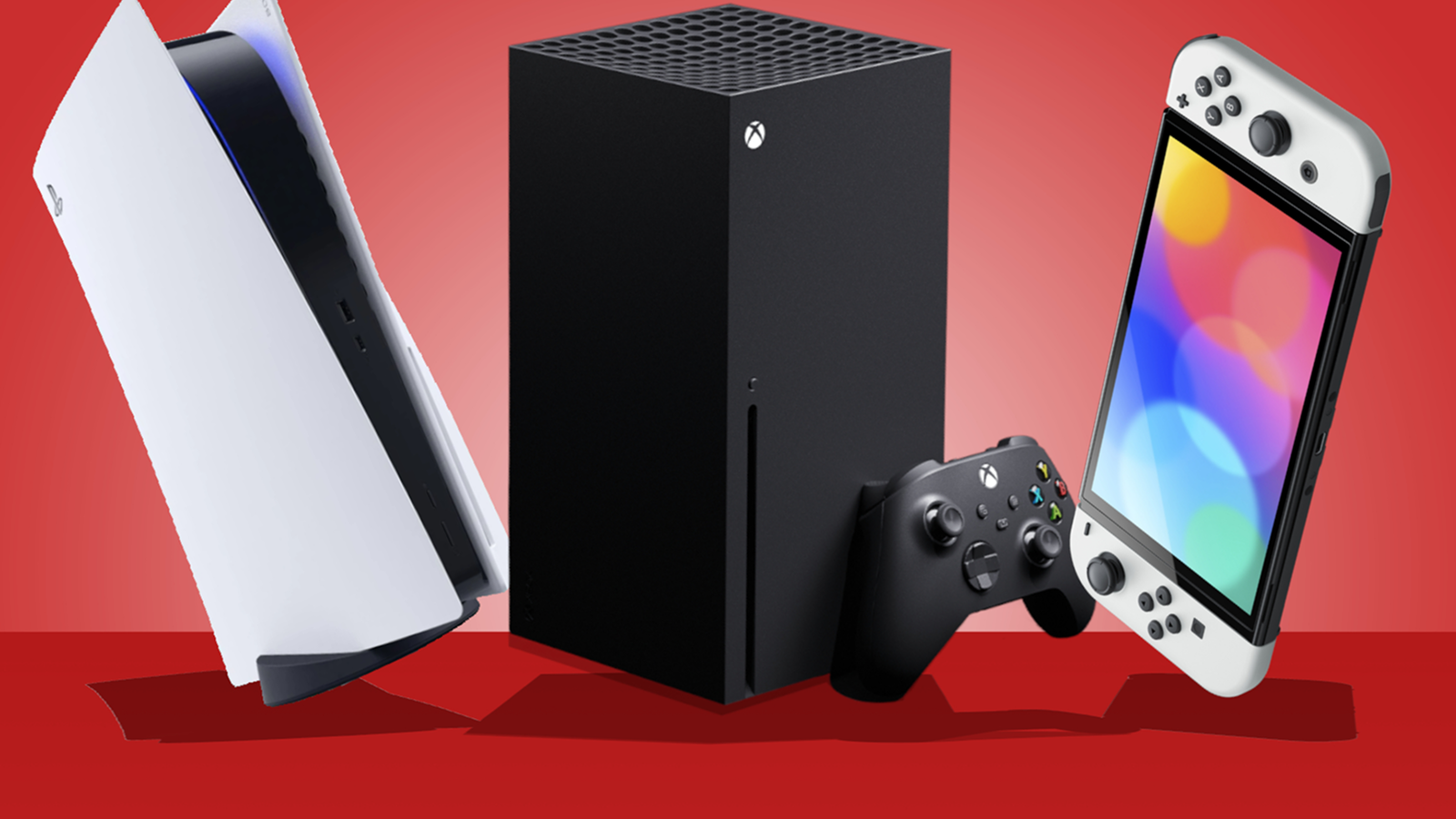
For most players, the major options fall into four groups:
- Gaming PC
- PlayStation
- Xbox
- Nintendo platforms
- Gaming handhelds
Cloud gaming can also be an option depending on your internet connection, location and the services available to you.
Before choosing, think about how you actually want to play rather than focusing only on specifications.
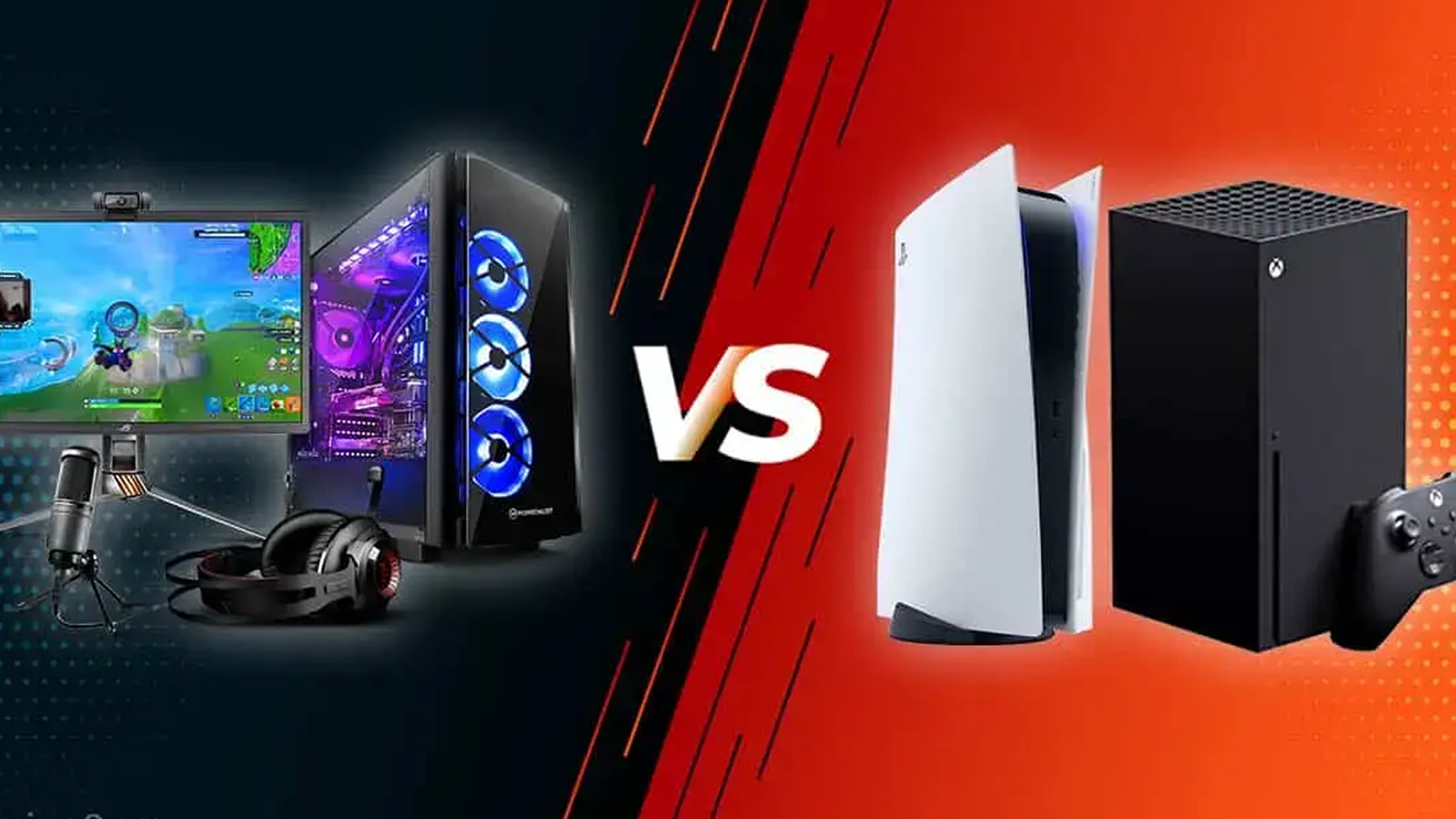
PC vs Console vs Handheld
Here’s a quick overview:
| Feature | Gaming PC | Console | Handheld |
|---|---|---|---|
| Performance | Very flexible | Consistent | Varies |
| Upgrades | Excellent | Limited | Limited to moderate |
| Ease of use | Moderate | Excellent | Excellent |
| Portability | Low | Low | Excellent |
| Game selection | Very large | Large | Growing |
| Customization | Excellent | Limited | Moderate |
| Initial cost | Can vary widely | Moderate | Moderate to high |
| Maintenance | Higher | Lower | Lower to moderate |
These are general differences. Individual devices can vary considerably.
1. Start With Your Budget
Your budget should be one of the first things you consider.
Don’t only calculate the price of the main device.
A gaming setup can include:
- Hardware
- Monitor or television
- Controller
- Keyboard and mouse
- Headset
- Storage
- Games
- Online subscriptions
- Accessories
- Upgrades
For PC gaming, peripherals and upgrades can add considerably to the total cost.
For consoles, the initial hardware may be simpler, but you should also consider games and subscription services.
For handhelds, accessories such as cases, memory cards and docks may add to the cost.
Think about your total gaming budget, not just the price on the box.
2. Think About the Games You Want to Play
This may be the most important factor.
Different platforms have different game libraries.
Before buying anything, make a list of your five to ten most important games.
Then check where they are available.
You may discover that your preferred games strongly favor one platform.
Consider:
- Exclusive games
- PC-only games
- Console exclusives
- Nintendo titles
- Cross-platform games
- Older games
- Indie games
- Multiplayer games
- Competitive games
Hardware is important, but games are the reason you are buying the hardware in the first place.
3. Choose PC Gaming for Flexibility
A gaming PC can be an excellent option if you want flexibility.
PC gaming can provide:
- Hardware upgrades
- Adjustable graphics settings
- Large game libraries
- Keyboard and mouse support
- Mod support for many games
- Multiple storefronts
- Productivity and work capabilities
- High refresh-rate displays
- Extensive customization
A PC can also serve purposes beyond gaming.
You can use the same system for:
- Work
- Video editing
- Design
- Programming
- Streaming
- School
- Creative projects
This versatility can make a gaming PC particularly attractive if you already need a computer.
The Downsides of PC Gaming
PC gaming also has disadvantages.
You may need to deal with:
- Hardware upgrades
- Driver updates
- Compatibility issues
- Game settings
- Troubleshooting
- Higher initial costs for powerful hardware
If you want something that simply works with minimal configuration, a console may be more convenient.
4. Choose a Console for Simplicity
Consoles are designed to make gaming relatively straightforward.
Connect the system to a television, install your games and start playing.
You generally don’t need to worry about selecting individual components or upgrading the graphics card.
Consoles can be especially attractive if you want:
- Simple setup
- Living-room gaming
- Controller-based gaming
- Consistent hardware
- Console-exclusive games
- Local multiplayer
You also don’t need to understand computer hardware to get started.
The Downsides of Consoles
Compared with PCs, consoles generally offer less hardware customization.
You may have:
- Limited upgrade options
- Less graphics customization
- Platform-specific game libraries
- Storage limitations
- Online subscription requirements for some multiplayer features
For many players, however, those limitations are worth the simplicity.
5. Consider Nintendo if You Want a Different Gaming Experience
Nintendo’s ecosystem occupies a somewhat different position in gaming.
Its platforms are particularly known for:
- Family-friendly games
- Local multiplayer
- Portable gaming
- First-party franchises
- Accessible gameplay
- Unique hardware concepts
If franchises and experiences associated with Nintendo are a major reason you want to play games, the platform’s game library may be more important than raw hardware specifications.
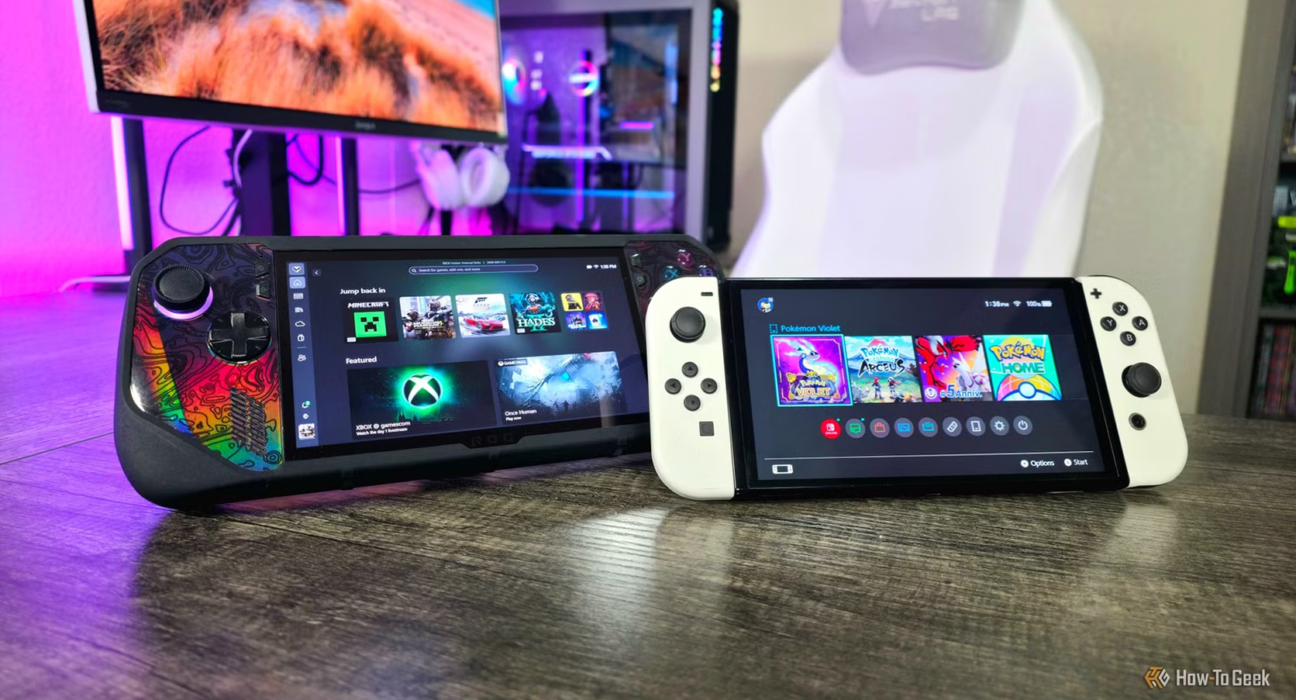
6. Consider a Handheld if Portability Matters
Gaming handhelds have become increasingly important.
A handheld can be useful if you:
- Travel frequently
- Commute
- Have limited television access
- Prefer playing away from a desk
- Want gaming sessions in different rooms
- Like shorter gaming sessions
Portability changes how you use a gaming device.
Instead of asking:
“How powerful is this?”
you should also ask:
“Where will I actually use it?”
7. Think About Your Gaming Style
Different players want different experiences.
Competitive Gamer
You may prioritize:
- High frame rates
- Low input latency
- High-refresh-rate displays
- Precise controls
- Stable performance
A PC can be particularly attractive for some competitive games.
Casual Gamer
You may care more about:
- Easy setup
- Comfortable controls
- Affordable hardware
- Popular games
- Playing occasionally
A console may make more sense.
Portable Gamer
You may prioritize:
- Battery life
- Weight
- Screen quality
- Portability
- Suspend/resume functionality
A handheld may be the best fit.
Family Gamer
You may want:
- Local multiplayer
- Family-friendly games
- Simple controls
- Parental controls
- Multiple user profiles
Your priorities may differ significantly from those of a competitive PC gamer.
8. Consider Keyboard and Mouse vs Controller
Controls can have a major impact on your experience.
Keyboard and mouse can provide advantages in games such as:
- Strategy games
- Simulation games
- Many first-person shooters
- Management games
Controllers can be more comfortable for:
- Racing games
- Sports games
- Platformers
- Action games
- Couch gaming
Many PC games support both.
If you already know which control method you prefer, use that preference when choosing your platform.
9. Consider Your Display
Your gaming platform should match your display.
For example, a high-performance gaming PC may make more sense with a capable monitor.
A console may work particularly well with a large living-room television.
A handheld has its own built-in display.
Think about:
- Resolution
- Refresh rate
- Screen size
- HDR
- Response time
- Viewing distance
Buying expensive hardware without a display capable of taking advantage of it may not provide the experience you expect.
10. Think About Storage
Modern games can require significant storage space.
Before choosing a platform, consider how many games you expect to keep installed.
A small storage capacity may become frustrating if you regularly play large games.
Check whether the platform allows storage expansion and how much that expansion costs.
Don’t look only at the advertised storage number.
Consider:
Usable storage + expansion options + expansion cost
11. Don’t Ignore Game Prices
The hardware is only the beginning.
Over several years, you may spend considerably more on games than on the original device.
Compare:
- New game prices
- Digital discounts
- Physical game prices
- Used games where available
- Subscription libraries
- Free-to-play options
- Sales
A platform with slightly more expensive hardware could potentially become more affordable for your particular gaming habits if its game ecosystem better matches how you buy games.
12. Think About Online Multiplayer
If multiplayer is important, research the platform’s online services.
Look at:
- Subscription requirements
- Multiplayer access
- Cloud saves
- Monthly games
- Social features
- Cross-platform play
Cross-play has become increasingly important because friends may use different platforms.
Before buying, check whether your preferred games support cross-platform multiplayer.
13. Consider Your Friends’ Platforms
This is easy to overlook.
If most of your friends play on a particular platform, choosing the same ecosystem may make multiplayer easier.
Before making a purchase, ask:
Where do the people I actually play with spend most of their gaming time?
If the games you care about support cross-play, this may matter less.
14. Think About Upgrades
PCs have a major advantage here.
You can often upgrade components such as:
- Graphics card
- Processor
- Memory
- Storage
- Cooling
- Power supply
Consoles generally have much less flexibility.
When a console generation changes, upgrading usually means purchasing a new system rather than replacing individual components.
If you enjoy building and upgrading technology, PC gaming may be more appealing.
If you prefer buying a system and keeping it unchanged, consoles may be more convenient.
15. Consider the Total Cost Over Several Years
Don’t compare platforms only by their launch price.
Think about the entire ownership period.
A useful calculation is:
Total Gaming Cost = Hardware + Games + Subscriptions + Accessories + Upgrades
For a PC, upgrades may be significant.
For a console, games and subscriptions may become a larger part of the total.
For a handheld, accessories and storage may add to the overall cost.
Looking at the total cost can produce a very different result from comparing hardware prices alone.
16. Don’t Buy More Power Than You Need
A common mistake is buying hardware far beyond your actual requirements.
If you mostly play:
- Indie games
- Older games
- Competitive games
- Casual titles
you may not need the most expensive hardware available.
On the other hand, if you want demanding games at high resolutions and high frame rates, investing in more capable hardware may make sense.
Buy for your actual use case rather than specifications alone.
17. Consider Used or Refurbished Hardware Carefully
Buying used hardware can reduce the upfront cost.
However, check:
- Condition
- Warranty
- Battery health for handhelds
- Controller condition
- Storage health
- Original accessories
- Return policy
A lower purchase price isn’t necessarily a good deal if the device requires expensive repairs soon afterward.
If buying refurbished, use a reputable seller and understand the warranty terms.
18. Think About How Much Time You Actually Have to Play
This is an underrated consideration.
If you only have 30–60 minutes available occasionally, a handheld or console may fit your lifestyle better than building a complicated gaming setup.
If you spend several hours gaming regularly, investing in a more advanced setup may make more sense.
Your lifestyle should influence your hardware decision.
19. Don’t Forget Cloud Gaming
Cloud gaming allows compatible games to be streamed from remote servers to supported devices.
This can reduce the need for powerful local hardware in some situations.
However, the experience depends heavily on:
- Internet speed
- Connection stability
- Latency
- Service availability
- Supported games
- Regional availability
Cloud gaming can be useful, but it isn’t automatically a replacement for local gaming for everyone.
20. Choose Based on Your Priorities
Ultimately, there is no universally best gaming platform.
A simple way to decide is to rank these factors:
- Games
- Budget
- Performance
- Portability
- Ease of use
- Multiplayer
- Upgradeability
- Controls
- Storage
- Long-term cost
Give each one a priority from 1 to 5.
Your results can make the decision much clearer.
Which Gaming Platform Is Right for You?
Here’s a simple starting point:
| If You Want… | Consider… |
|---|---|
| Maximum customization | PC |
| Simple plug-and-play gaming | Console |
| Portable gaming | Handheld |
| High-end performance | Gaming PC |
| Living-room gaming | Console |
| Hardware upgrades | PC |
| Family/local multiplayer | Console or Nintendo platform |
| Gaming while traveling | Handheld |
| One device for work and gaming | PC |
| Minimal technical setup | Console |
These are general recommendations rather than strict rules.
A Simple Decision Process
Still unsure?
Ask yourself these five questions:
1. What games do I want to play?
Start here.
2. What’s my total budget?
Include games, accessories and subscriptions.
3. Where will I play?
Desk, living room, bedroom or while traveling?
4. Do I want simplicity or customization?
This can quickly separate console and PC preferences.
5. How important is portability?
If the answer is “very important,” a handheld deserves serious consideration.
Final Thoughts
Choosing a gaming platform isn’t about finding the most powerful device.
It’s about finding the right combination of games, price, performance, convenience and lifestyle.
A gaming PC may be ideal for someone who wants customization and high performance. A console can be better for someone who wants simplicity and living-room gaming. A handheld can be the perfect choice for someone who values portability.
Before buying, look beyond the hardware specifications.
Think about the games you want to play, the people you want to play with, how much time you have, where you will play and how much you’re comfortable spending over several years.
The best gaming platform is the one you’ll actually enjoy using.