






How Does Wi-Fi Work? A Simple Guide to Wireless Internet
Wi-Fi is something most people use every day without thinking much about it.
Your smartphone connects to it. Your laptop uses it for work. Smart TVs, gaming consoles, tablets, cameras, speakers, and even some household appliances can connect through Wi-Fi.
But how does Wi-Fi actually work?
Unlike a wired internet connection, Wi-Fi allows devices to communicate without a physical cable between them. It uses radio waves to transmit data between your devices and a wireless network.
Understanding how this works can also help you troubleshoot slow connections, choose the right router, improve coverage, and understand why your Wi-Fi sometimes performs differently from what your internet provider promises.
What Is Wi-Fi?
Wi-Fi is a wireless networking technology that allows electronic devices to communicate with each other and access a network without requiring a physical Ethernet cable.
The term is commonly used to describe wireless local area networking based on the IEEE 802.11 family of standards.
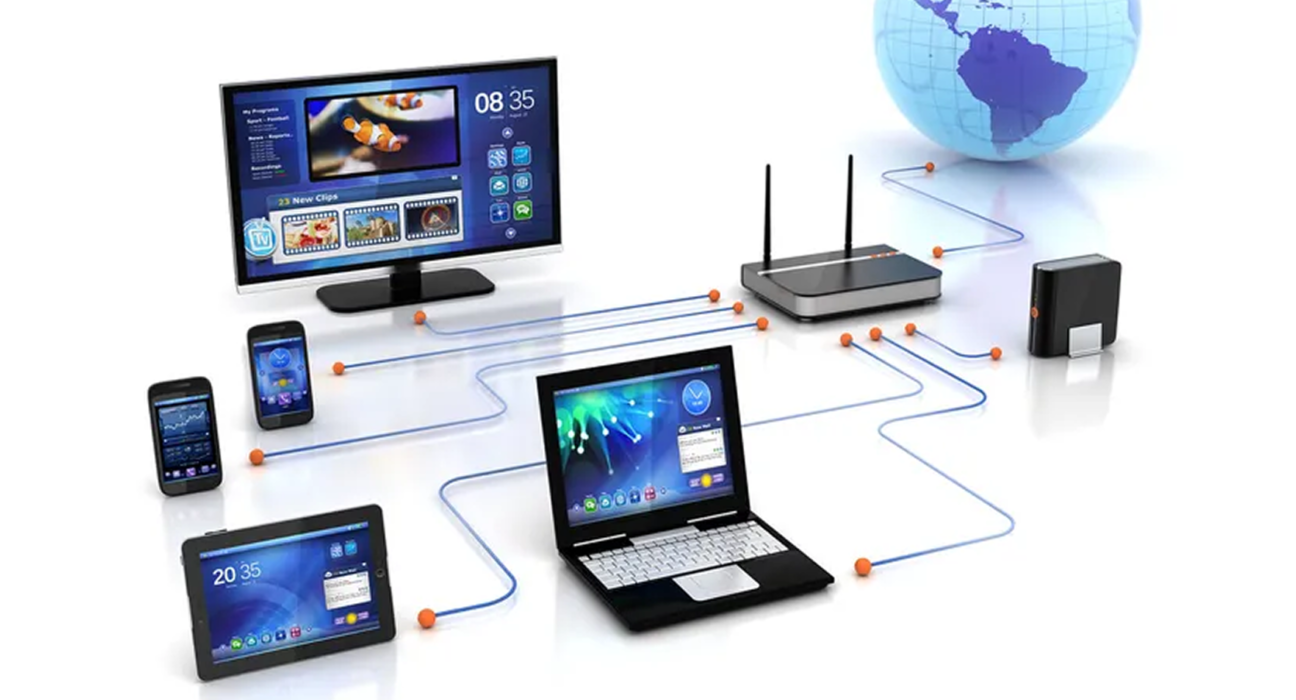
A typical home Wi-Fi network includes:
- An internet connection
- A modem or fiber termination device
- A router
- Wireless access functionality
- Connected devices such as phones, computers, TVs, and consoles
The router acts as an important meeting point between your local devices and the wider internet.
How Does Wi-Fi Work?
At a basic level, Wi-Fi works by converting digital information into radio signals.
When you open a website on your phone, for example, your phone sends a request through the Wi-Fi connection to your router.
The router then communicates with your internet service provider, which connects the request to the appropriate server on the internet.
The response travels back through the network and eventually reaches your router. The router sends the information wirelessly to your phone.
The process happens extremely quickly.
A simplified example
Your phone → Wi-Fi → Router → Internet → Server → Router → Wi-Fi → Your phone
This process happens whenever you perform activities such as:
- Opening a website
- Watching a video
- Sending a message
- Downloading a file
- Playing an online game
- Joining a video call
What Does a Wi-Fi Router Do?
A Wi-Fi router performs several jobs within your network.
One of its most important functions is directing traffic between devices on your local network and the internet.
It also provides wireless connectivity so devices can communicate without Ethernet cables.
Many modern devices combine several networking functions into one box, which is why people often simply call the entire device a “Wi-Fi router.”
A typical router may handle:
- Wireless networking
- Routing internet traffic
- Local IP addresses
- Network security
- Device connections
- Ethernet connections
- Network management
Your router may also include features such as parental controls, guest networks, VPN support, firewall functions, and traffic management.
Wi-Fi Uses Radio Waves
Wi-Fi does not transmit data through visible light.
Instead, it uses radio-frequency electromagnetic waves.
Your router broadcasts wireless signals, and compatible devices use antennas to send and receive those signals.
The information itself is represented digitally and transmitted through changes in the radio signal.
This is why your phone doesn’t need to physically touch the router to communicate with it.
However, Wi-Fi signals are not unlimited. Distance, walls, furniture, appliances, interference, and other wireless networks can affect performance.
What Is an SSID?
When you search for available Wi-Fi networks on your phone, you see names such as:
- Home Wi-Fi
- Office Network
- MyNetwork
- Guest Wi-Fi
These names are called SSIDs, or Service Set Identifiers.
The SSID is essentially the name used to identify a wireless network.
For example, if your router broadcasts a network called “MediOrbitX,” that name is what you may see when looking for available Wi-Fi connections.
Changing the SSID does not necessarily improve performance, but it can make your network easier to identify.
2.4 GHz vs 5 GHz Wi-Fi
One of the most common sources of confusion is the difference between 2.4 GHz and 5 GHz Wi-Fi.
These are different radio-frequency bands commonly used by Wi-Fi networks.
2.4 GHz
The 2.4 GHz band generally offers:
- Longer range
- Better ability to pass through obstacles
- More potential interference
- Lower potential speeds compared with newer higher-frequency bands
It can be useful when a device is far away from the router.
5 GHz
The 5 GHz band generally offers:
- Higher potential speeds
- Lower congestion in many environments
- More available channels
- Shorter effective range than 2.4 GHz
It can be particularly useful when you are relatively close to the router and need higher performance.
What about 6 GHz?
Newer Wi-Fi technologies can also operate in the 6 GHz band.
The 6 GHz band provides additional spectrum for compatible devices and can help reduce congestion in suitable environments.
However, its range characteristics mean that it is generally most useful when devices are relatively close to the access point.
2.4 GHz vs 5 GHz vs 6 GHz
| Feature | 2.4 GHz | 5 GHz | 6 GHz |
|---|---|---|---|
| Range | Generally longer | Generally shorter | Generally shorter |
| Speed potential | Lower | Higher | Very high |
| Wall penetration | Generally better | Generally weaker | Generally weaker |
| Congestion | Often higher | Often lower | Potentially lower |
| Best use | Long-range connections | Streaming and everyday performance | Compatible modern devices |
The best option depends on your home, office, router, device, and surrounding wireless networks.
What Are Wi-Fi Standards?
Wi-Fi technology has evolved considerably over time.
Different generations have introduced improvements in speed, efficiency, capacity, and network management.
You may have seen names such as:
- Wi-Fi 4
- Wi-Fi 5
- Wi-Fi 6
- Wi-Fi 6E
- Wi-Fi 7
These names make it easier for consumers to understand different generations of Wi-Fi technology.
Newer generations can offer improvements such as better performance with many connected devices, lower latency in suitable conditions, improved efficiency, and higher theoretical speeds.
However, upgrading to a newer router does not automatically guarantee faster internet.
Your internet plan, connected devices, network environment, distance, interference, and router placement also matter.
What Is Wi-Fi 6?
Wi-Fi 6 is a newer generation of Wi-Fi technology designed to improve efficiency, especially when many devices are connected to the same network.
This is increasingly important because modern homes can have dozens of connected devices.
A single household might have:
- Smartphones
- Laptops
- Smart TVs
- Tablets
- Game consoles
- Security cameras
- Smart speakers
- Smart appliances
- Streaming devices
Wi-Fi 6 introduced technologies designed to manage wireless traffic more efficiently.
What Is Wi-Fi 7?
Wi-Fi 7 is a newer generation designed to provide even higher performance and improved efficiency on compatible hardware.
It can take advantage of technologies such as wider channels and more advanced methods of using available wireless spectrum.
However, to benefit from newer Wi-Fi features, both the networking equipment and connected devices generally need to support them.
This is an important point when deciding whether a router upgrade is actually worthwhile.
Why Is My Wi-Fi Slow?
Having a fast internet plan does not guarantee that every device will experience the same speed over Wi-Fi.
Several factors can affect wireless performance.
1. Distance from the router
The farther your device is from the router, the weaker the wireless signal can become.
2. Walls and obstacles
Concrete walls, floors, metal objects, furniture, and other structures can reduce signal strength.
3. Wireless interference
Other Wi-Fi networks and wireless devices can compete for available spectrum.
This can be particularly noticeable in apartments, offices, and densely populated areas.
4. Too many connected devices
A busy network can place additional demand on your router and wireless spectrum.
5. Older hardware
Older routers and devices may not support newer Wi-Fi technologies or higher performance levels.
6. Internet connection limitations
Sometimes the Wi-Fi network is not the problem.
If your internet connection itself is slow, upgrading your router may not solve the issue.
Wi-Fi Speed vs Internet Speed
These two terms are often confused.
Internet speed refers broadly to the rate at which data can move between your network and the internet.
Wi-Fi speed refers to the wireless connection between your device and the access point.
For example, imagine your internet plan provides a high-speed connection, but your laptop is connected through an older wireless standard from a distant room.
Your internet connection may be fast, but the wireless link could become the limiting factor.
This is why speed-test results can vary between devices and locations.
What Is Wi-Fi Latency?
Speed is not the only factor that matters.
Latency measures how long it takes for data to travel between two points.
Lower latency can be particularly important for:
- Online gaming
- Video calls
- Remote desktop applications
- Real-time communication
- Interactive cloud applications
A network can have high download speeds while still experiencing noticeable latency.
For everyday browsing and streaming, bandwidth may matter more. For interactive applications, latency can become much more important.
How to Improve Your Wi-Fi
You don’t always need to purchase a new router to improve your network.
Try these steps first.
Place the router in a better location
Avoid hiding the router inside cabinets or placing it behind large objects.
A more central and elevated location can often provide better coverage.
Keep the router away from sources of interference
Try to avoid placing it directly next to equipment that may interfere with wireless signals or inside enclosed spaces.
Use the appropriate frequency band
Use 5 GHz or 6 GHz when you need higher performance and are reasonably close to the router.
Use 2.4 GHz when longer range is more important.
Update your router
Router manufacturers periodically release firmware updates that can improve security, stability, and performance.
Update your devices
Your phone, laptop, or other connected devices may also benefit from updated networking software and drivers.
Consider a mesh Wi-Fi system
For larger homes or properties with difficult layouts, a mesh system can provide more consistent coverage than relying on a single router.
What Is Mesh Wi-Fi?
Traditional Wi-Fi networks often depend on one primary wireless access point.
A mesh system uses multiple interconnected nodes to provide wireless coverage across a larger area.
Instead of relying on a single router to cover the entire property, multiple access points work together as a network.
Mesh Wi-Fi can be useful for:
- Large homes
- Multi-floor buildings
- Areas with weak signal
- Homes with difficult layouts
However, mesh systems are not automatically faster than traditional routers. Their main advantage is often better coverage and network consistency.
Is Wi-Fi the Same as the Internet?
No.
Wi-Fi and the internet are different things.
Wi-Fi is a wireless networking technology.
The internet is a global network of interconnected networks and systems.
You can have Wi-Fi without internet access.
For example, your phone might successfully connect to your home router while the router’s connection to your internet service provider is unavailable.
Your device will show that it is connected to Wi-Fi, but websites and online services may not work.
Is Wi-Fi Secure?
Wi-Fi can be secure when configured properly, but wireless networks should always be protected.
Modern routers generally support security technologies designed to protect wireless communications.
For a home network:
- Use a strong Wi-Fi password
- Use modern security standards when supported
- Keep router firmware updated
- Avoid sharing your primary Wi-Fi password unnecessarily
- Create a guest network for visitors when possible
- Change default administrative credentials
- Disable features you do not need
You should also avoid using open, unsecured Wi-Fi networks for sensitive activities when you cannot verify that the network is trustworthy.
How Many Devices Can Wi-Fi Support?
There is no single universal number.
The practical capacity of a Wi-Fi network depends on:
- Router hardware
- Wi-Fi generation
- Available spectrum
- Number of access points
- Type of devices
- Network traffic
- Applications being used
- Physical environment
Ten devices performing lightweight tasks may place less demand on a network than a smaller number of devices continuously streaming high-resolution video or transferring large files.
Do You Need a New Wi-Fi Router?
Not necessarily.
Consider upgrading when:
- Your router is very old
- It frequently disconnects
- Your coverage is poor
- You have many connected devices
- Your current router lacks features you need
- Your devices support newer Wi-Fi standards
- Your existing equipment is limiting your internet connection
If your current router provides reliable coverage and performance, there may be little reason to replace it simply because a newer model exists.
The Future of Wi-Fi
Wi-Fi continues to evolve as more devices become connected.
Homes and businesses are increasingly using wireless connections for streaming, cloud applications, smart-home devices, gaming, video conferencing, and other demanding services.
Future wireless networks will need to handle more devices while improving efficiency, reliability, speed, and responsiveness.
The important thing to remember is that Wi-Fi performance is determined by the entire network, not just the router.
Your internet connection, router, device, distance, interference, network configuration, and wireless technology all work together.
Final Thoughts
Wi-Fi may seem simple because connecting to a wireless network usually requires nothing more than selecting a network and entering a password.
Behind that simple experience, however, is a sophisticated system of radio communication, networking protocols, routing, security, and data transmission.
Understanding the basics can make it easier to choose networking equipment, troubleshoot slow connections, and get better performance from the devices you already own.
And the next time someone asks, “Why is the Wi-Fi slow?”, you’ll know that the answer isn’t always as simple as blaming the router.