





What Is Cloud Computing? How It Works and Why It Matters
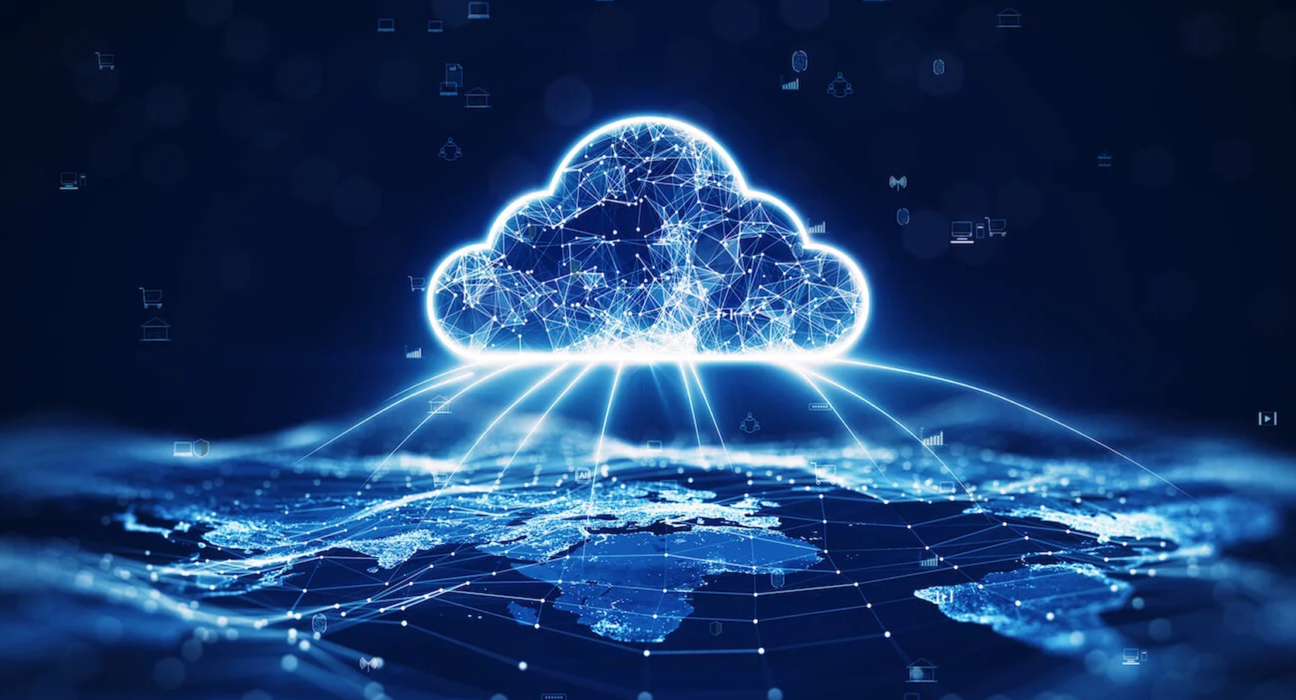
Cloud computing has become a fundamental part of modern technology.
Whenever you store photos online, stream a movie, use a web-based application, back up your files, or access a business system from anywhere, there is a good chance that cloud technology is involved.
But what exactly is cloud computing?
In simple terms, cloud computing means using computing resources over the internet instead of relying entirely on your own physical computer or local servers.
These resources can include storage, computing power, databases, software, networking, and other technology services.
Instead of purchasing and maintaining all the hardware yourself, you can access computing resources from a cloud provider and pay according to your usage or subscription.
How Does Cloud Computing Work?
Traditional computing often requires organizations to purchase physical servers, storage systems, networking equipment, and other hardware.
That equipment needs space, electricity, maintenance, security, and technical support.
Cloud computing changes this model.
Cloud providers operate large data centers containing servers and other infrastructure. Customers can access these resources through the internet.
For example, a business that needs additional computing power can rent resources from a cloud provider instead of purchasing a new physical server.
The cloud provider manages much of the underlying infrastructure while the customer manages the applications, data, and configurations that they are responsible for.
Why Is It Called “The Cloud”?
The word “cloud” is a simplified way of describing computing infrastructure that exists somewhere else on a network.
When you save a file to a cloud storage service, the file is not literally floating somewhere in the sky.
It is stored on physical infrastructure operated by a service provider, usually in one or more data centers.
You access that infrastructure through the internet.
The term became popular because users do not need to know the exact physical location of the servers providing the service.
Common Examples of Cloud Computing
Cloud computing is already part of everyday life.
Examples include:
- Cloud storage
- Online email
- Video streaming
- Online photo backups
- Web-based office applications
- Online collaboration tools
- Website hosting
- Business software
- Online databases
- Artificial intelligence services
- Cloud gaming
Services such as online document editors allow users to create and access files without storing everything locally on one computer.
Similarly, streaming platforms deliver content from remote infrastructure rather than requiring users to download entire libraries of media.
Cloud Storage vs Cloud Computing
Cloud storage and cloud computing are related, but they are not the same thing.
Cloud storage primarily involves storing and accessing data through remote infrastructure.
Examples include storing:
- Photos
- Documents
- Videos
- Backups
- Business files
Cloud computing is broader.
It can include:
- Computing power
- Storage
- Databases
- Networking
- Software
- Analytics
- Artificial intelligence
- Application hosting
Cloud storage is therefore one part of the larger cloud computing ecosystem.
The Main Types of Cloud Services
Cloud services are commonly divided into several categories.
Infrastructure as a Service — IaaS
IaaS provides fundamental computing infrastructure.
This can include:
- Virtual machines
- Storage
- Networking
- Computing resources
Instead of purchasing physical servers, organizations can rent virtual infrastructure.
This gives businesses greater flexibility when their computing requirements change.
Platform as a Service — PaaS
PaaS provides an environment where developers can build, test, and deploy applications without managing all of the underlying infrastructure themselves.
Developers can focus more on writing and managing their applications while the platform handles many infrastructure-related tasks.
Software as a Service — SaaS
SaaS provides software applications through the internet.
Users generally access the software through a web browser or application.
Examples can include:
- Email platforms
- Project management tools
- Customer relationship management systems
- Accounting software
- Communication platforms
- Online productivity applications
SaaS is one of the most familiar forms of cloud computing for everyday users.
Public Cloud
A public cloud provides computing resources through a cloud provider’s infrastructure.
Multiple customers can use the provider’s infrastructure while their environments and data are separated through technical and security controls.
Public cloud services are widely used because organizations can access computing resources without building and operating all of the physical infrastructure themselves.
Private Cloud
A private cloud environment is dedicated to a particular organization.
It can provide greater control over infrastructure and configuration, although it can also require more resources to operate and manage.
Private cloud approaches can be useful for organizations with specific security, compliance, or infrastructure requirements.
Hybrid Cloud
Hybrid cloud combines private infrastructure with public cloud resources.
For example, a company might keep certain systems or sensitive workloads within its own environment while using public cloud infrastructure for other applications.
This approach can provide flexibility while allowing organizations to maintain control over particular workloads.
Benefits of Cloud Computing
Cloud computing offers several important advantages.
1. Lower Upfront Infrastructure Costs
Businesses do not always need to purchase large amounts of hardware before launching a service.
Instead, they can rent computing resources according to their requirements.
This can reduce the need for significant upfront infrastructure investment.
2. Scalability
One of the major advantages of cloud computing is the ability to increase or decrease resources as requirements change.
For example, an online store may experience a significant increase in traffic during a major shopping event.
Cloud infrastructure can allow businesses to respond to changing demand more easily than a fixed physical infrastructure setup.
3. Accessibility
Cloud services can allow users to access applications and data from different locations and devices, provided they have the appropriate connection and permissions.
This supports remote work and distributed teams.
4. Faster Deployment
Cloud services can make it easier to launch new applications and infrastructure.
Instead of waiting for physical equipment to be purchased, delivered, installed, and configured, organizations can often provision cloud resources much faster.
5. Maintenance
Cloud providers manage much of the physical infrastructure required to operate their services.
This can reduce the amount of hardware maintenance that individual customers need to perform.
6. Global Availability
Large cloud providers operate infrastructure across multiple geographic regions.
This can help organizations deploy applications closer to their users and design systems that can continue operating when individual infrastructure locations experience problems.
What Are the Disadvantages of Cloud Computing?
Cloud computing is not perfect.
There are several challenges that organizations and individuals should understand.
Internet Dependence
Many cloud services require an internet connection.
If connectivity is unavailable or unreliable, access to cloud applications can be affected.
Ongoing Costs
Cloud computing can reduce upfront infrastructure costs, but it does not mean computing becomes free.
Organizations pay for services according to their plans, resource usage, or subscriptions.
Poorly managed cloud resources can sometimes result in unexpectedly high bills.
Security Responsibilities
Cloud providers generally secure the infrastructure they operate, but customers are still responsible for many aspects of their own environments.
This can include:
- Password management
- Access permissions
- Application security
- Data configuration
- Account security
Security is a shared responsibility.
Vendor Dependence
Moving a large application or dataset between cloud providers can sometimes be complicated.
Organizations should consider portability and long-term infrastructure strategy when selecting a cloud provider.
Cloud Computing and Business
Cloud computing has changed how many businesses build and operate technology.
A startup can launch an online service without purchasing a large server infrastructure from the beginning.
As the business grows, it can increase its computing resources.
This model can be particularly useful for businesses with unpredictable demand.
For example, a company might experience significantly different traffic levels during normal days and major promotional events.
Cloud infrastructure can help businesses adapt to these changes.
Cloud Computing and Remote Work
Cloud technology has also contributed to the growth of remote and hybrid work.
Employees can access many business applications through the internet rather than relying on software installed on a single office computer.
Cloud-based collaboration tools can allow teams to:
- Share documents
- Communicate
- Manage projects
- Store files
- Hold meetings
- Collaborate on presentations
- Access business systems remotely
This can make distributed work more practical.
Cloud Computing and Artificial Intelligence
Modern artificial intelligence also relies heavily on computing infrastructure.
Training and operating advanced AI models can require significant computing resources.
Cloud platforms can provide access to:
- Powerful processors
- GPUs
- Storage
- Data processing
- Machine learning tools
- AI development platforms
This allows companies and developers to access computing resources without necessarily building their own large-scale AI infrastructure.
What Is Cloud Migration?
Cloud migration refers to moving applications, data, or IT workloads from one environment to another, often from traditional on-premises infrastructure to cloud infrastructure.
A company might migrate:
- Databases
- Websites
- Business applications
- File storage
- Development environments
- Data analytics systems
Cloud migration needs careful planning.
Organizations need to consider compatibility, security, costs, performance, downtime, and data management.
How Much Does Cloud Computing Cost?
There is no single price for cloud computing.
Costs depend on factors such as:
- Computing power
- Storage
- Data transfer
- Database usage
- Number of users
- Software subscriptions
- Geographic region
- Performance requirements
Some services offer free tiers or limited free usage, while larger business environments can cost substantially more.
For businesses, monitoring usage is important because cloud expenses can increase as applications and traffic grow.
Cloud Computing vs Traditional Computing
| Feature | Traditional Computing | Cloud Computing |
|---|---|---|
| Infrastructure | Usually owned or directly managed | Usually provided by a cloud provider |
| Upfront investment | Can be high | Often lower |
| Scalability | Requires additional hardware | Resources can often be adjusted quickly |
| Maintenance | Organization manages hardware | Provider manages much of the physical infrastructure |
| Accessibility | May depend on local infrastructure | Often accessible through the internet |
| Deployment | Can take longer | Can often be faster |
| Cost model | Hardware + maintenance | Usage or subscription-based |
Neither approach is automatically better for every situation.
The right choice depends on an organization’s requirements, budget, security needs, technical capabilities, and workload.
Is Cloud Computing Safe?
Cloud computing can provide strong security capabilities, but security depends on how systems are designed and managed.
Cloud providers invest heavily in infrastructure security, but customers must still configure their environments correctly.
Important practices include:
- Strong passwords
- Multi-factor authentication
- Appropriate access controls
- Regular software updates
- Data encryption
- Monitoring
- Backups
- Security testing
Users should also understand exactly what their cloud provider’s security responsibilities cover.
The Future of Cloud Computing
Cloud computing is likely to remain an important part of the technology industry.
Emerging areas such as artificial intelligence, machine learning, edge computing, data analytics, connected devices, and advanced software applications all require significant computing infrastructure.
Cloud services are also becoming increasingly specialized.
Organizations can use cloud platforms for everything from basic file storage to advanced AI development and large-scale data processing.
Final Thoughts
Cloud computing is essentially a way of accessing computing resources over a network rather than relying entirely on locally owned infrastructure.
It can provide organizations and individuals with greater flexibility, scalability, and access to powerful technology.
From storing personal photographs to running global applications and supporting artificial intelligence, cloud infrastructure is already deeply integrated into modern digital life.
Understanding the basics of cloud computing is therefore useful for almost anyone who uses technology.
The key idea is simple:
Instead of owning and managing every piece of computing infrastructure yourself, you can access many computing resources as services when you need them.